

Written by Brad Smith
Summary
Key Takeaways: Proven system that grew YouTube channel from 3,000 to 108,000 subscribers Strategy generates over 200 leads every month directly from YouTube "How to" title framework ranks on YouTube, ...
FAQ AI Summary
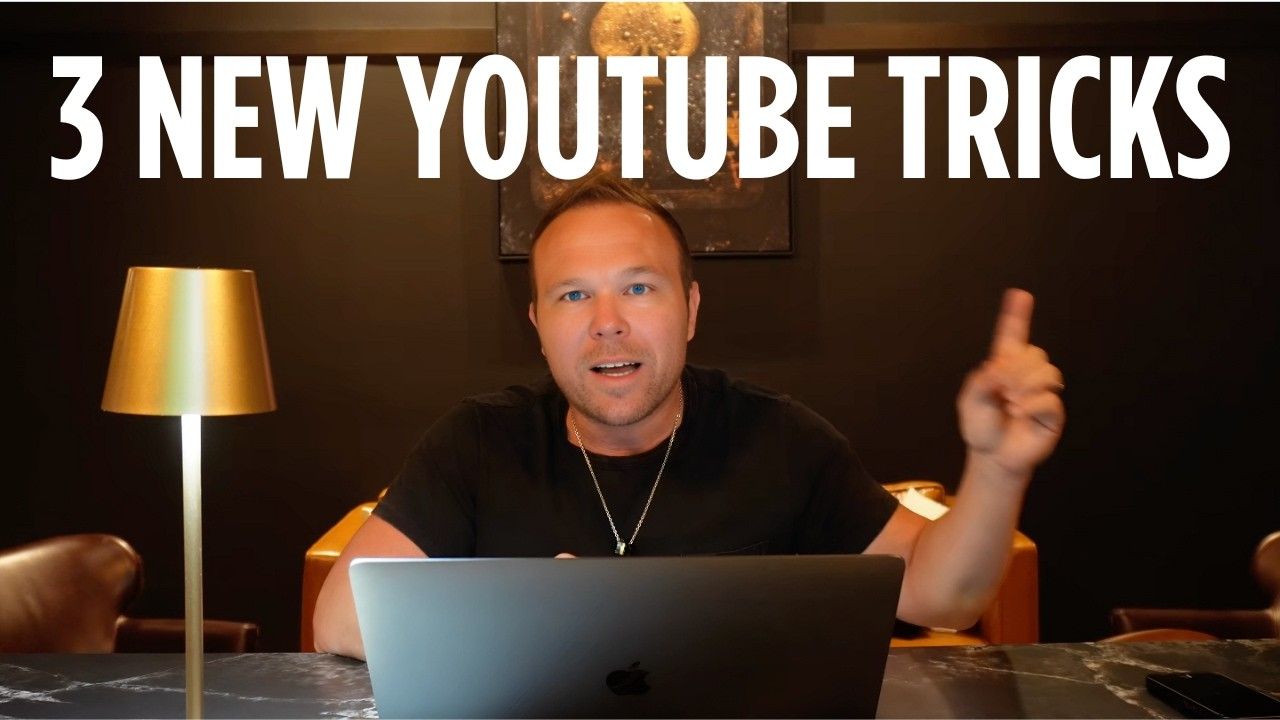 Key Takeaways:
- Proven system that grew YouTube channel from 3,000 to 108,000 subscribers
- Strategy generates over 200 leads every month directly from YouTube
- "How to" title framework ranks on YouTube, Google, and ChatGPT simultaneously
- Multi-platform branding approach increases recognition and subscriber conversion
- Complete blueprint works for educators, entrepreneurs, and brands in any industry
My name is Brad Smith, and I've grown my YouTube channel to 108,000 subscribers while generating over 200 leads every month. In this guide, I'm sharing the exact step-by-step framework you can copy for your brand.
Whether you haven't started a YouTube channel yet or you're struggling to grow the one you have, this framework gives you a complete plan that works for educators, entrepreneurs, and brands in any industry.
- The system combines consistent branding, "how to" keyword targeting, and multi-channel promotion to position your videos where your ideal audience is already searching. By ranking in YouTube, Google, and AI platforms like ChatGPT, you attract viewers, build trust, and convert them into leads.
- Time to See Results : Growth acceleration typically begins after implementing the complete system
- Best For : Educators, entrepreneurs, and brands focusing on value-first content strategy
The Foundation: Why This YouTube Strategy Works for Any Business
The framework combines consistent branding, keyword targeting, and multi-channel promotion to position your videos where your ideal audience is already searching. By ranking in YouTube, Google, and even AI platforms like ChatGPT, you can attract viewers, build trust, and convert them into leads. This works for any business because it focuses on delivering value first, building relationships, and automating follow-up to keep your brand top of mind.
You're either the entertainer or you're the educator. If you're the entertainer, you got to get millions of views and get people to watch over and over like Mr. Beast does. This is more education and how-to. All you have to do is get somebody to watch one or two videos. They start to like you, trust you, and then they'll buy your service from there.
Step 1: How to Brand Your Channel for Recognition and Trust
You want to make sure you're relatable and recognizable across all platforms. I actually went and hired a professional photographer to get me great shots so I can stay on brand. Every time somebody goes to YouTube, they know it's me because they see my profile picture and the similar thumbnail. This has been the biggest game changer.
Creating Consistent Visual Identity
I'm using my profile picture consistently across all my social media channels. Think about it: if somebody knows you from X, somebody knows you from Instagram, and they see that profile picture on YouTube, they remember you. That's the person I follow on this other channel. They're more likely to subscribe and follow you from there.
Setting Upload Expectations
I'm telling subscribers in the description when I'm going to be uploading so you know exactly when to come back and watch for the next lesson. You don't need to upload three times a week - I haven't done this until this year. It has made a difference, but I want to encourage you to just do once a week, but make sure you tell your subscribers when you're going to upload.
I always include really helpful information like system links, newsletter links, and any offers that I'm currently doing. For more on building consistent brand presence, see Business Brand Builder .
Step 2: How to Use "How To" Titles to Rank in Search
You need to really dial in your tight titles. What I want you to focus on is the how-to title. That is what actually took my channel from 3,000 subscribers to 108,000 subscribers because now I'm showing up on Google, YouTube, and ChatGPT when somebody says "how to."
The Search Visibility Strategy
When somebody wants to generate leads for YouTube and they type "how to" into Google, my YouTube videos show up. Then I make it really easy for them to skip to key moments in that video to learn something. That's the goal.
Finding Your Unique Angle
What I like to do is search "how to use YouTube" as an example. Once you look for your topic that you think your ideal customer would actually type into Google to find you, you want to look at these other channels, these other videos. Find one that you're going to teach and change that word slightly.
So "how to actually use YouTube," "how to use YouTube for beginners," "how to start a YouTube channel." Mine was just a little bit different: "how to use YouTube to generate leads." No one's saying how to use YouTube to generate leads, so I just changed that topic slightly and now I'm showing up at the top of the search for that specific one.
For comprehensive YouTube advertising strategies, explore YouTube Ads .
Step 3: How to Use ChatGPT for Titles, Descriptions, and Keywords
You're going to take my YouTube prompt from the system and copy and paste this into ChatGPT to help you generate the title, the descriptions, the keywords, and everything you need to actually get ranked for your YouTube videos because you want your traffic coming from all these different channels.
AI-Powered Optimization
When you plug that into ChatGPT, it's going to help you with:
- Different titles that people are going to be searching for
- SEO optimized descriptions
- Thumbnail hooks
- Search terms and timestamps
These are super important to have. The timestamps part has been a game changer for my channel.
Consider using Tracking Software to monitor your video performance across platforms.
Step 4: How to Boost Rankings with Blogs and Backlinks
Once you start uploading your video, the next step is to add your video to your blog. This is how Google, Bing, and all these other networks actually find your YouTube video quicker. I take that transcription, add it to my blog post, and now my YouTube video is ranking on all these different channels and getting backlinks.
Building Authority Through Backlinks
Backlinks are super important because it shows the algorithms that you're trustworthy. When you have links coming from your blog, coming from Google, coming from ChatGPT, and even from X and LinkedIn, it signals authority.
For blog optimization and SEO strategies, check out How to Rank on Google ChatGPT with Zero SEO Knowledge .
Step 5: How to Create and Test Multiple Thumbnails
You want to get some professional pictures taken. Hire a videographer, photographer, somebody to help you nail these brand guidelines. You need to make sure that they're all relatable and similar on every video.
The Netflix Thumbnail Strategy
I always include three different thumbnails. That's going to let the algorithm choose which one to show. Have you ever been on Netflix and saw that thumbnail change and you think it's a completely new video? That's what we want to do here.
I have this framework in Canva that I go in, put my pictures in, and then add some text. In the prompt that you grab, it's going to give you those thumbnail hooks - 10 of them. Choose your top three that you like and then let your audience choose once you start adding it.
Step 6: How to Build a Playlist That Keeps Viewers Watching
You need to create a playlist that is going to be around your topic. What I recommend is having 10 to 12 videos around a certain broad topic and then teaching each step to make it all the way to the end, almost like a 10 to 12-step course.
Strategic Playlist Structure
When you're done with one video, viewers can watch the next video that has to do with your topic so they can continue learning from you. Right in your YouTube channel, create a playlist, make sure it's titled with a good description, and make sure it's public.
For more on playlist optimization, see How to Use Playlists to Grow Your YouTube Channel .
Step 7: How to Structure Your Video Intro for Retention
At the very beginning of the video, say what you're going to be teaching. Just like at the beginning of this video, I said, "Hey, if you want to actually grow your YouTube channel and take it to the next level, this video is for you." Think about what that thing is that you're going to teach, talk about it right at the beginning of the video, and then get right into it and start teaching.
Optimizing Video Descriptions
My optimized title is what ChatGPT told me my ideal customers are searching for. For the description, I pulled this from the transcript that I said in the video. There's all kinds of free tools out there you can use - CapCut , or just do a Google search. You can even upload your video on YouTube, save it as unlisted, wait a few hours, and come back and grab the transcript.
Make sure this is all SEO optimized and using the words that you specifically said in the video so you're not using AI-generated content that doesn't match your actual words.
Step 8: How to Promote Videos with Social Media Backlinks
We need to actually promote this and get traffic to this. What we need to do is start posting social media content about this. I talked about YouTube last week in my X post, gave them some quick lessons and tips, and then when my video went live, I posted the link in the first comment.
The Backlink Strategy
That's called a backlink. Other big networks like X, LinkedIn, Reddit, Medium - you can do this on all of those - are linking back to your YouTube video. You may only get a few clicks on this, but the goal is to actually tell these other channels that your videos are being recommended.
For social media automation strategies, explore How to Automate All Your Social Media Content .
Step 9: How to Run YouTube Ads for Pennies Per View
What really took me to the next level is turning on YouTube ads. Not those annoying ones that show up before you can watch the video - nobody likes those skippable instream ads. If you go to the Google Ads platform and set up your YouTube ads, I recommend you always turn that off.
Smart YouTube Advertising Options
You can set up YouTube ads for:
- Recommended sponsored ads on desktop - when somebody logs into YouTube, they'll see your video as the first video to click on
- Top video search - if somebody searches for your topic, your video will show up at the top as a recommended video
- Competitor targeting - when somebody's watching a video from one of your competitors, your video can be recommended as an ad to watch next
That's how you're going to actually grow with real solid subscribers for just pennies per view and start increasing your subscribers from there.
For comprehensive YouTube advertising guidance, check out How to Run YouTube Ads for Just $5/Day .
Step 10: How to Turn Viewers into Leads and Clients
You can get so many leads from YouTube if you do it right. You're the educator and the teacher. You can either try doing this on your own if you're a small new brand, or if you're an established brand, hire a freelancer or virtual assistant to start implementing this for you.
If you really want to scale, work with an agency that knows how to do this and can scale you from there. If you want to really take it to the next level and implement YouTube ads, that's something we are experts at and we do every single day with hundreds of brands.
For lead generation automation, consider implementing a CRM System to track and nurture your YouTube leads effectively.
- Key Point : The complete system works because it focuses on delivering value first, building relationships, and automating follow-up
- How It Works : Multi-platform approach increases visibility and trust before the sales conversation
- Tools Needed : Professional photos, Canva templates, ChatGPT prompts, YouTube analytics
- Time to See Results : Significant growth typically occurs after implementing the complete framework consistently
Essential Tools for YouTube Growth Success
To implement this system effectively, you'll need:
- Content Creation : Professional photography and Canva for thumbnail design
- Optimization : ChatGPT for titles, descriptions, and keyword research
- Analytics : Tracking Software to monitor performance across platforms
- Lead Management : CRM System for nurturing YouTube leads
- Website Integration : Website Builder for blog backlinks
- Email Follow-up : Email Marketing Platform for lead nurturing
Next Steps: Implementing Your YouTube Growth System
Start with branding consistency across all platforms using professional photos and the same profile picture everywhere. Focus on creating "how to" titles that solve specific problems your ideal customers are searching for.
Use ChatGPT to optimize your titles, descriptions, and keywords, then promote your videos across social media platforms to build backlinks. Create playlists that keep viewers engaged with your content longer.
If you're a small brand, start implementing this system yourself. For established brands, hire freelancers or virtual assistants to execute the strategy. If you want to scale rapidly, work with an agency that specializes in YouTube growth and advertising.
Key Takeaway : This complete framework works for any business because it focuses on delivering value first, building relationships through helpful content, and automating systems to convert viewers into leads and customers.
Want to implement these YouTube strategies with professional support? Get more strategies and subscribe to my channel at YouTube for weekly content that helps you grow your brand.
For the complete system with copy-and-paste templates and ChatGPT prompts, comment "system" on any of my videos and my team will send you the three-step framework you can implement immediately.
Ready to Grow Your Business?
Join 2,347 business owners getting proven marketing strategies every week.